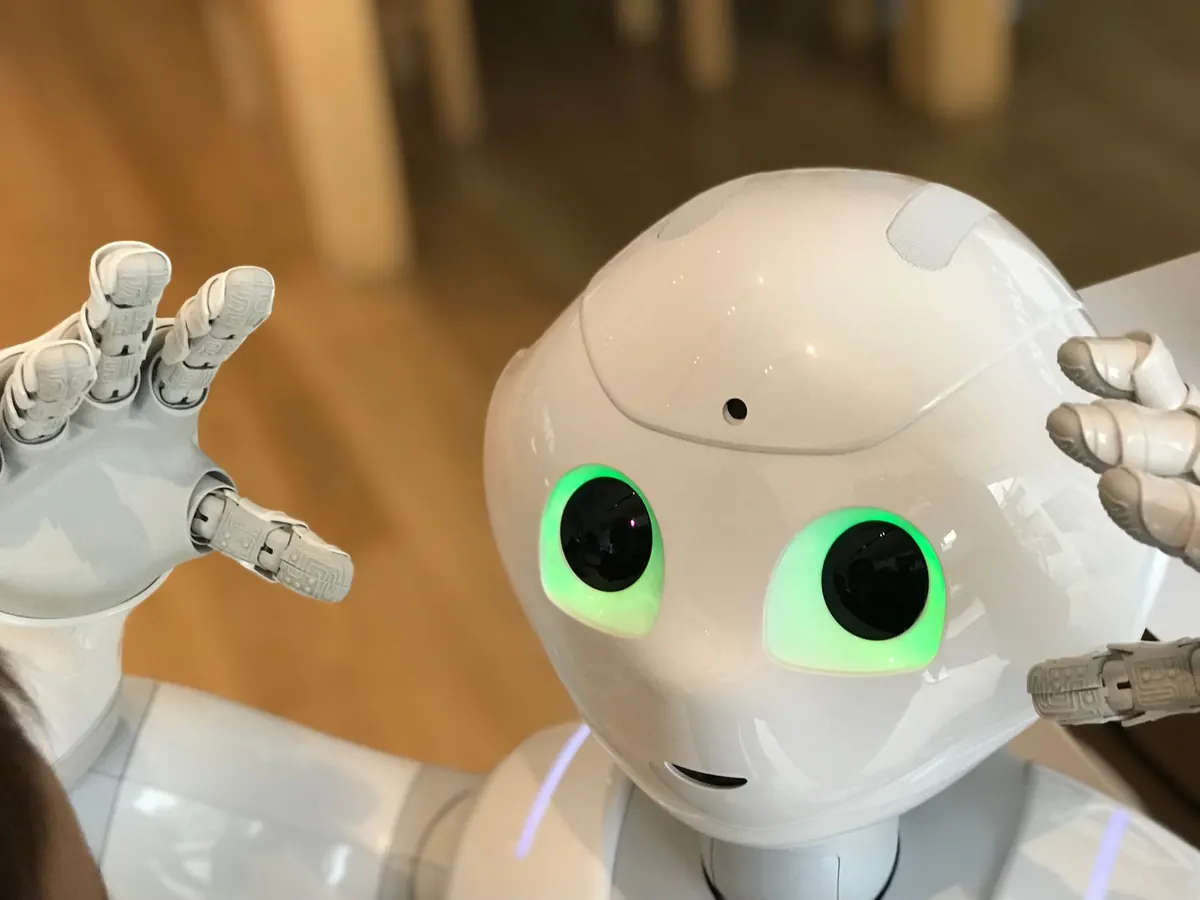
A robot vacuum bumping along a wall and a robotic arm catching a tumbling box look like cousins. They are not. One follows a script a person wrote; the other makes constant guesses about a world that refuses to hold still. The distance between them comes down to four things: sensing, learning, seeing, and deciding. Once you understand those, you can look at almost any machine and judge how smart it really is.
The Difference Between an Automaton and a Thinking Machine
An automaton executes. A limit switch trips, a motor reverses, an arm returns home. Run it a thousand times and every cycle is identical. That is genuinely useful, and it is how most factory equipment has worked for decades. It also falls apart the moment conditions change.
A machine with real intelligence runs a loop instead: sense, interpret, decide, act, then check what happened. If the box slips, it notices. If a person steps into its path, it stops. If the same grip fails twice, it tries something else.
The word "robot" promises none of this on its own. A machine can cost a great deal and still be an automaton, while a modest device can carry a surprising amount of perception. Capability, not category, is what matters.
Sensors: The Raw Material of Smart Behavior
Every clever thing a robot does begins with data, and data begins at the sensor. Manufacturers mix and match from a fairly short menu:
- Cameras — color, texture, objects, printed labels, faces, and, with two lenses or a depth sensor, distance.
- LiDAR and depth sensors — shape and range, usually more reliable than vision in poor light.
- Inertial units — tilt, rotation and acceleration, which tell the robot how its own body is moving.
- Wheel and joint encoders — how far each motor has turned, the backbone of dead reckoning.
- Force and torque sensors — how hard the robot is pushing or squeezing, essential for anything that touches people or delicate parts.
- Microphones and tactile pads — sound events and contact, useful for detecting collisions or a dropped object.
Cheap hardware, smart software
Not every problem needs an expensive sensor. A robot that watches motor current can often detect a jam without any extra hardware; a camera paired with good software can measure distance almost as well as a depth sensor in a well-lit room. The trade-off is that software has to work harder, and it fails in different ways.
Sensor fusion is where reliability comes from
No single sensor deserves blind trust. Cameras are fooled by glare, LiDAR struggles with glass and mirrors, encoders drift when wheels slip. Fusion combines them, weighing each source against the others. When the camera says "open doorway" and the depth sensor says "wall," a well-built system slows down and looks again rather than picking a favorite.
Machine Learning: Teaching by Example Instead of by Rule
Older robots were programmed with rules. If the part is in this position, close the gripper. Rules break constantly, because real objects arrive rotated, scratched, tangled or half-hidden. Machine learning flips the approach: show the system thousands of examples and let it find the patterns itself.
Three approaches you will encounter
Supervised learning trains on labeled examples — thousands of images marked "mug" or "not a mug." It is dependable for narrow tasks and needs a lot of good data.
Reinforcement learning lets a system try actions and improve based on reward. Most of this training happens in simulation, where a robot can fall over a million times for free, then transfers carefully to the real machine.
Imitation learning has a person demonstrate the task while the robot records it. This is often the fastest route for fiddly jobs like threading a cable, though the robot tends to copy the demonstrator's habits along with the skill.
Onboard or in the cloud
Running models on the robot keeps latency low and keeps your video inside your building. Running them remotely allows bigger models and easier updates, at the cost of a network connection you may not control. For anything that moves quickly or touches people, local processing is usually the safer default.
Computer Vision: The Hardest Sense to Get Right
A camera image is not a measurement. It is a picture. Turning pixels into "there is a mug, about 40 cm away, tilted 20 degrees" takes a chain of steps: detect the object, classify it, estimate depth, then track it across frames so the robot knows it is the same mug and not a new one.
The chain breaks in predictable places. Harsh light. Shiny metal. Objects stacked on each other. Something the system has never seen before. The most trustworthy robots handle this by admitting uncertainty: when confidence drops, they slow down, ask for help, or stop. A robot that says "I am not sure" is far safer than one that is confidently wrong.
Decision-Making: From Understanding to Action
Perception answers "what is out there." Decision-making answers "so what do I do." Most capable robots plan in layers. A task planner decides the order of jobs. A path planner works out a route through the space. A motion planner calculates how to move joints or wheels along that route without hitting anything. Underneath all of it, a controller adjusts dozens of times per second to keep the motion smooth.
Safety behaviors sit above every layer. If the emergency stop is pressed, the object-detection confidence collapses, or a person enters a defined zone, the robot abandons the plan. Good design means the abandonment is graceful: finish the cut, lower the arm, then stop.
When a Simple Automaton Is the Better Buy
Intelligence is not automatically an upgrade. If the task never changes, the environment is controlled, and speed and repeatability matter most, a fixed machine will usually be cheaper, faster, easier to maintain and simpler to certify. Adding perception and learning adds failure modes you now have to test. Choose the smart option when the world is messy, varied or shared with people — not because it sounds more advanced.
How to Judge a Robot's Real Intelligence
Before you believe a spec sheet, ask about behavior. Useful questions:
- What does it do when something unexpected happens — does it stop, ask, or guess?
- Which sensors does it use, and how does it behave when one is dirty, blocked or blinded?
- Does it improve with use, and does the data it collects leave your premises?
- Can you see why it made a decision? Logs and replays matter when something goes wrong at 3 a.m.
- What is the failure mode: does it halt safely, or push through?
Ask for a demonstration in your own space, with your own objects, on a bad day — dim light, clutter, a colleague walking past. That tells you more than any benchmark. And if a robot is going to work near people or handle anything that could cause injury, have a qualified safety professional review the installation before it runs unattended.
Photo: Laura Musikanski / Pexels